Here's something nobody tells plumbing contractors: you don't have a technology problem. You have a bloated software problem.
I talked to a plumber last week who spent $4,200 on a CRM for plumbers in the first year. He used 6 of the 47 features. The rest? Wasted money that could've bought a new drain camera.
Most CRM companies sell you features. Smart plumbers buy outcomes.
The difference between a $300/month enterprise system and a focused CRM for plumbers isn't the feature count. It's whether your techs actually use it when they're standing in someone's flooded basement at 11 PM.
In this guide, you'll learn the 7 CRM features plumbing contractors actually use daily—and the 12 "nice-to-have" features that sales reps love to demo but you'll never touch.
Why Most CRM for Plumbers Software Fails
The average CRM has 47 features. The average plumbing tech uses 6.
That's not a typo.
Home service CRM systems try to serve everyone. HVAC. Electrical. Landscaping. Roofing. The result? Software that does everything poorly instead of core tasks brilliantly.
Here's what actually happens when you buy bloated CRM software:
Your office manager spends 2 hours in training. She understands 40% of what she saw. Your techs install the mobile app. They try it once. It's slow. Too many buttons. They go back to texting you job updates.
Three months later, you're paying $400/month for glorified contact storage.
The hidden cost nobody talks about: Complex CRMs don't just waste money. They waste time. Your best tech shouldn't need a 6-minute tutorial to mark a job complete.
What Emergency Calls Reveal About Your CRM
It's 2 AM. Your phone rings. Burst pipe. Water everywhere.
You need three things in 10 seconds:
- Have we serviced this customer before?
- What's their address and gate code?
- Do we have the right parts in stock?
If your CRM for plumbers can't answer these questions from your phone in bed, it fails the only test that matters.
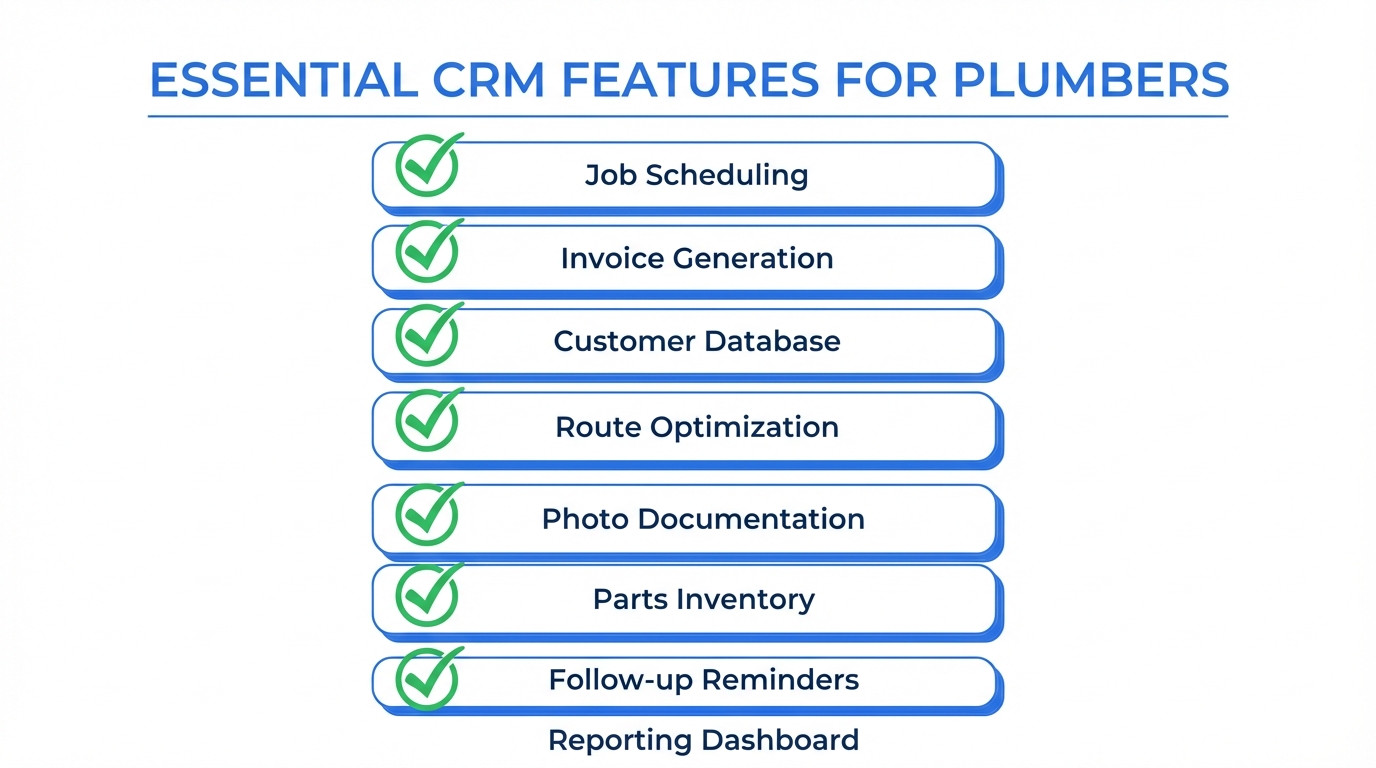
The 7 Essential CRM Features for Plumbers
1. Mobile-First Job Management (Not Desktop-First)
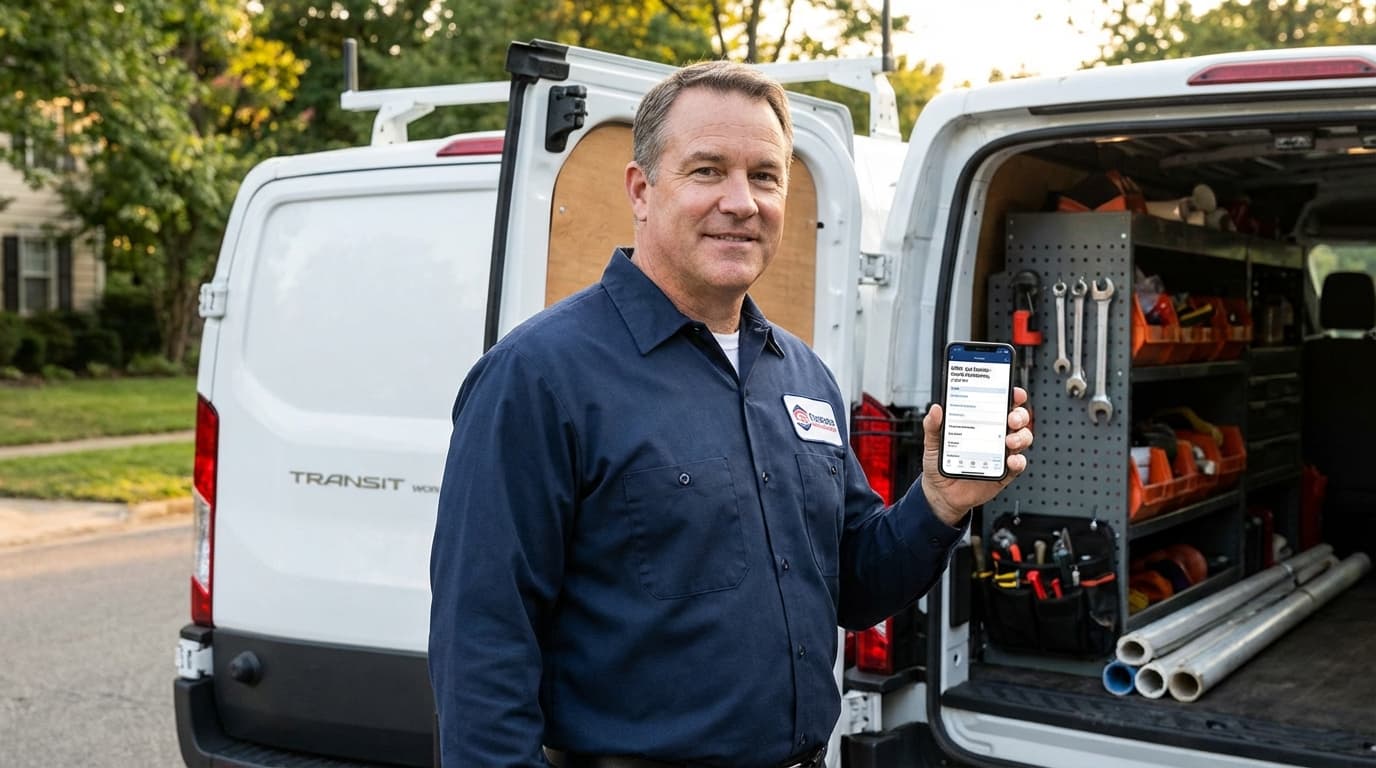
Your techs spend 95% of their day in the field. Your CRM for plumbers needs to work in basements with no cell signal. Not just "work on mobile." Work offline.
What this actually means:
- Forms save locally when there's no signal
- One tap to call customers (no copy-paste)
- Take photos directly in the work order
- Get signatures without printing paper
- See the next job address with GPS routing
Real scenario: Your tech finishes a water heater install at 3 PM. The CRM shows two pending quotes within 1.2 miles. He drives there directly. Closes both jobs. Home by 5 PM instead of returning to the office for addresses.
Test this feature yourself: Hand your lead tech the mobile app. Ask him to complete a job, take photos, get a signature, and create an invoice. Time him. If it takes more than 2 minutes, the software fails.
2. Complete Customer History in 3 Seconds
When a repeat customer calls at 6 AM with an emergency, the person answering your phone should see their complete history before the third ring.
Not after digging through file cabinets. Not after opening three different programs. Instantly.
Critical data your CRM for plumbers must show:
- Every service call with dates and work performed
- Parts installed with warranty expiration dates
- Payment history and current balance
- Property notes (gate code, dog in yard, water shutoff location)
- All previous communication (texts, emails, calls)
Similar to how HVAC contractors track maintenance agreements, plumbers need instant access to equipment history. But plumbers deal with more emergency situations. Speed matters more.
The 2 AM test: Get an emergency call in the middle of the night. Can you pull up their address, service history, and billing info from your phone in under 10 seconds? If not, your CRM for plumbers fails.
3. Automated Follow-Up That Actually Runs
Most plumbing jobs generate predictable follow-up opportunities. Water heaters installed today need maintenance in 12 months. Drain cleaning customers need annual service. Estimate follow-ups close 30% more jobs.
But here's the problem: You're too busy running emergency calls to remember manual follow-ups.
Smart automation your CRM for plumbers needs:
| Timeline | Touchpoint | Why It Matters |
|---|---|---|
| 24 hours after job | Satisfaction text | Catch problems before they become reviews |
| 3 days after positive feedback | Review request | Get 5-star reviews while you're top of mind |
| 3, 7, 30 days after estimate | Follow-up sequence | Abandoned estimates close at 65% vs. 35% |
| 11 months after install | Maintenance reminder | Turn one-time customers into annual revenue |
| Before spring/winter | Seasonal campaigns | Proactive sump pump and water heater checks |
Impact: A 4-truck plumbing operation added automated estimate follow-ups. Their close rate went from 38% to 61% on the same lead volume. Same leads. Better follow-up. $127K more revenue annually.
4. QuickBooks Integration (Not CSV Export)
Every plumbing contractor we've talked to uses QuickBooks. If your CRM for plumbers doesn't sync automatically, you're doing double data entry.
CSV export isn't integration. That's manual work with a different name.
Real integration means:
- Invoices created in your CRM appear in QuickBooks instantly
- Customer records sync both directions automatically
- Payment status updates everywhere when someone pays
- Job costing flows without re-entering numbers
- Inventory adjusts when techs use parts
Time savings: A 3-truck operation saves 9 hours per week eliminating duplicate entry. That's $18,720 annually in admin labor costs at $40/hour.
Ask the CRM vendor this: "Show me live data flowing from your system into QuickBooks right now in this demo. Not a screenshot. Live." If they can't, keep looking.
5. Drag-and-Drop Scheduling (Because Plans Change)
Emergency calls destroy your schedule. Your CRM for plumbers needs to help dispatchers rebuild routes in real-time. Not force techs to follow yesterday's rigid plan.
Advanced scheduling features that matter:
- Move jobs between techs in 10 seconds when someone calls in sick
- Send master plumbers to complex jobs, apprentices to simple ones
- Emergency calls automatically jump the queue
- Build buffer time for traffic and unexpected delays
- Auto-send "tech on the way" texts with photo and ETA
Unlike roofing contractors who schedule days in advance, plumbers react to emergencies constantly. Your CRM scheduling needs to be fluid, not rigid.
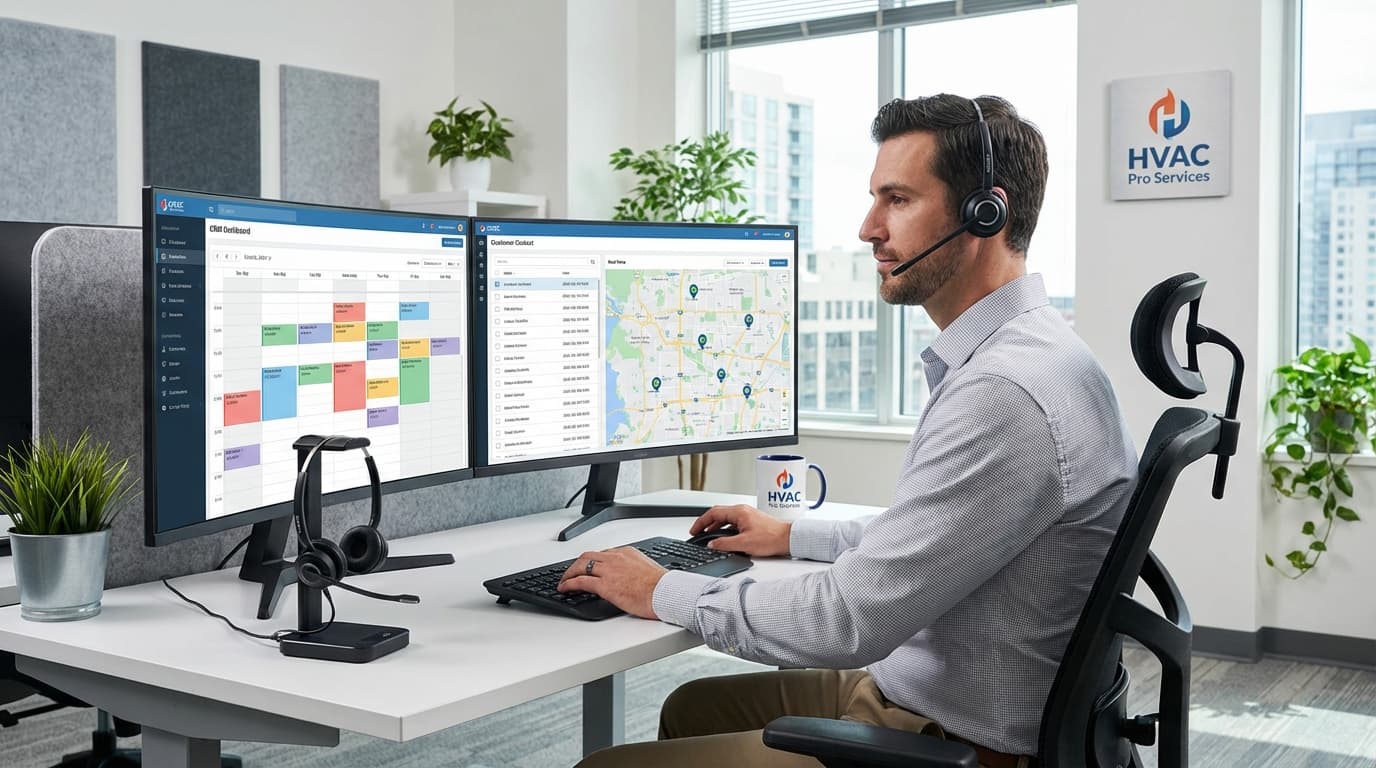
The difference: Basic CRMs show a calendar. Good CRMs for plumbers show an optimized route map with drive times, traffic alerts, and emergency override options.
6. Mobile Estimating Tools (Close More On-Site)
Standing in a customer's kitchen with a leaking pipe, your tech shouldn't need to call the office for pricing approval.
Mobile estimating your CRM for plumbers needs:
- Pre-built flat-rate pricing for common jobs
- Parts catalog with current supplier costs
- Good/better/best pricing presentation
- Show customers photos of equipment options
- Get manager approval for jobs over $X automatically
Conversion impact: Plumbers using mobile estimating close 28% more on-site estimates compared to "I'll email you a quote tomorrow" approaches.
Why this matters: The difference between a $2,800 estimate presented at the kitchen table with photos and options versus a $2,800 estimate emailed 18 hours later is a 28% close rate gap.
7. Call Tracking and Recording
Most plumbing leads come from phone calls. If you're spending $3,000/month on Google Ads but can't track which calls convert to jobs, you're flying blind.
Call intelligence your CRM for plumbers must have:
- Different tracking numbers for each marketing source
- Automatic call recording for training review
- Know your cost per booked job by channel
- Tie revenue back to specific ad campaigns
- AI transcription for searchable call logs
ROI tracking: A plumbing contractor spending $42K annually on marketing found that 55% of budget went to channels with 6% conversion rates. Cutting those channels and doubling down on winners increased revenue by $94K the following year.
Similar to how electrical contractors optimize marketing spend, plumbers need clear ROI data on every advertising dollar.
Features You DON'T Need (Stop Paying For These)
Here's what CRM salespeople will try to sell you that plumbing contractors rarely use:
Complex marketing automation workflows - You're not running drip campaigns. You're answering emergency calls.
Advanced inventory management - Unless you stock a warehouse, you don't need SKU tracking for 10,000 items.
Multi-department routing - You have 3 techs, not 47 departments.
Custom reporting dashboards - Pre-built reports handle 95% of what small crews need.
Integrated payroll - QuickBooks does this better.
Built-in website builder - Use actual website platforms.
Social media post scheduling - This has nothing to do with managing plumbing jobs.
The rule: If a feature requires more than 10 minutes of training, ask yourself if you'll actually use it monthly. If not, don't pay for it.
Real Plumbing Business Scenarios
Scenario 1: Emergency Dispatch Chaos
Situation: Monday morning. 8 scheduled jobs booked. At 7:15 AM, three emergency calls: burst pipe, backed-up sewer, commercial building with no hot water.
With a good CRM for plumbers:
- Emergency calls auto-tag as priority
- System suggests rescheduling lowest-value jobs today
- Dispatcher sees real-time tech locations and drive times
- Automated texts notify affected customers of reschedule
- Techs get optimized emergency routes with full job details
- Customer history shows two emergencies are repeat clients (VIP priority)
Time: 8 minutes to reorganize the entire day.
Without a CRM: 45 minutes of phone chaos. Angry customers. Techs showing up to wrong addresses. Jobs falling through cracks. Lost revenue.
Scenario 2: Estimate Follow-Up Sequence
Situation: Your tech gave an estimate for a $3,200 water heater replacement. Customer says "let me think about it." Without follow-up, 73% never book.
Smart CRM for plumbers automation:
- Day 0: Tech emails estimate recap at job site
- Day 2: "Any questions?" text from the tech who quoted
- Day 5: Email showing financing options
- Day 12: "Price locked for 5 more days" urgency text
- Day 25: "Still interested?" last-chance email
Result: Estimate close rates go from 35% (no follow-up) to 64% (systematic follow-up). That's 83% more closed jobs from the same lead volume.
Scenario 3: Warranty Verification Call
Situation: Customer calls 16 months after installation. Their water heater is making noise. Is it under warranty? Which model did you install?
With proper CRM for plumbers:
- CSR types customer name
- Full equipment history appears in 2 seconds
- Shows: Rheem 50-gallon, serial #XYZ, installed Jan 2025
- Warranty status: 2 months remaining on parts
- Original installing tech was Mike (auto-route to Mike)
- Previous maintenance: none (upsell opportunity)
Time to answer: 15 seconds.
Without a CRM: "Let me look through our files and call you back." (You never do. Customer calls your competitor.)
How to Choose the Right CRM for Your Plumbing Business
Step 1: List Your Top 3 Pain Points
Don't buy features. Buy solutions to actual problems you have today.
Common plumbing business pain points:
- "We lose track of follow-ups and leave money on the table"
- "Techs hate paperwork so job details are incomplete"
- "We can't tell which marketing works"
- "Scheduling gets chaotic with emergency calls"
- "Customers complain we don't show up when promised"
Rank your top 3. Any CRM for plumbers you evaluate must solve those first.
Step 2: Test Mobile Experience FIRST
Forget the desktop demo. Hand your lead tech a phone with the CRM app. Ask him to:
- Open a work order and mark it complete
- Take before/after photos and attach them
- Get customer signature on the work
- Generate an invoice and process payment
- Schedule next maintenance appointment
Time him. If he struggles or it takes more than 3 minutes, that CRM for plumbers will fail in the field.
Step 3: Verify QuickBooks Integration Live
Don't accept "yes, we integrate with QuickBooks" as an answer.
Ask this: "Show me an invoice created in your CRM appearing in QuickBooks right now during this demo. Live. Not a screenshot."
Watch data flow both directions. Create an invoice in the CRM. See it appear in QuickBooks. Mark it paid in QuickBooks. See it update in the CRM.
If they can't show you live, keep looking.
Step 4: Calculate True ROI (Not Just Monthly Cost)
A $350/month CRM for plumbers that saves 12 hours of admin work weekly is cheaper than a $79/month CRM that creates work.
ROI calculation worksheet:
| Benefit | Monthly Value |
|---|---|
| Admin time saved (hours × $40/hr) | $_______ |
| More jobs closed (conversion increase) | $_______ |
| Fewer missed appointments | $_______ |
| Faster payment collection | $_______ |
| Marketing waste eliminated | $_______ |
| Total monthly benefit | $_______ |
| CRM cost | -$_______ |
| Net monthly ROI | $_______ |
If net is negative, keep looking.
Step 5: Demand Real Implementation Support
Most plumbers fail not because they chose the wrong CRM for plumbers. They fail because they never properly set it up.
Red flags:
- "Just watch tutorial videos"
- No onboarding specialist
- Data import is self-service only
- Training costs extra
- You're on your own after 30 days
Green flags:
- Assigned implementation manager
- Structured onboarding (weeks, not days)
- Data migration assistance included
- Live team training sessions
- Ongoing phone support
Common Implementation Mistakes
Mistake 1: Using All Features on Day One
Your CRM for plumbers has 30+ features. You need 7 working perfectly, not 30 working poorly.
Phase your rollout:
- Week 1: Customer database and scheduling only
- Week 2: Add mobile job completion and invoicing
- Week 3: Turn on automated follow-ups
- Week 4: Add call tracking and reporting
- Week 5+: Layer in advanced features
Mistake 2: Not Cleaning Data Before Import
Importing 4,000 messy contacts with duplicates, missing phone numbers, and old addresses creates problems from day one.
Pre-import checklist:
- Remove duplicate customer records
- Standardize address formatting
- Verify phone numbers
- Tag inactive customers (3+ years no contact)
- Archive closed jobs older than 5 years
Spend 2 days cleaning data. Save 80+ hours of frustration later.
Mistake 3: Skipping Team Training
You can't announce "We're using new CRM software Monday" and expect adoption.
Training structure:
- Week before: Meeting explaining why you're switching
- Launch week: Daily 15-minute huddles on one feature
- Weeks 2-4: Weekly reviews of what's working
- Ongoing: Monthly refreshers on underused features
Track usage by person. If your best tech isn't logging jobs, find out why immediately.
Mistake 4: Not Customizing for Your Business
Generic setup fails because your plumbing business is unique.
Customize these:
- Service categories (your actual services, not generic defaults)
- Estimate templates (your pricing, brand colors, legal disclaimers)
- Message wording (your voice, not corporate robot speak)
- Custom fields (data unique to your operation)
- User permissions (apprentices see different things than managers)
Budget 8-12 hours for proper customization before launch.
Pricing Comparison for Plumbing CRMs
| System | Starting Price | Per User | Best For |
|---|---|---|---|
| TruLine | $97/month | $29/month | Growing crews needing AI coaching |
| ServiceTitan | $299/month | $99/month | Large operations (10+ trucks) |
| Housecall Pro | $49/month | $39/month | Solo plumbers (1-3 people) |
| Jobber | $129/month | $25/month | Mid-size companies focusing on scheduling |
| FieldEdge | $179/month | $49/month | ServiceTrade ecosystem users |
Hidden costs to watch:
- SMS/email overages ($40-$180/month)
- Payment processing fees (2.5-3.5% per transaction)
- Premium support ($99-$249/month extra)
- API integrations ($29-$89/month each)
- Training and setup ($400-$1,800 one-time)
Real total cost: A 5-person plumbing company typically spends $450-$720/month all-in, not the advertised base price.
Frequently Asked Questions
What's the best CRM for plumbers running a solo operation or small 2-3 person crew?
For small operations, simplicity beats features. Look for mobile-first systems with easy scheduling, customer management, and QuickBooks integration. Avoid enterprise solutions requiring full-time admin staff.
Key test: Can you set up and run the CRM yourself in under 90 minutes? If not, it's too complex for your current size.
How long does it take to see ROI from a CRM for plumbers?
Most plumbing contractors see measurable improvement in 60-90 days with proper setup. Quick wins show up in 2-3 weeks (better follow-up, fewer missed appointments). Full revenue impact takes 6-12 months.
Can a CRM help me manage apprentice plumbers?
Yes. Look for systems with tech scorecards and performance tracking. The best CRM for plumbers tracks metrics like jobs per day, average ticket size, and customer ratings by individual tech. This shows who needs coaching and who's ready for complex work.
Do I need separate software for estimates and scheduling?
All-in-one is almost always better. Separate tools create data sync problems and duplicate entry. Exception: if you already use industry-specific pricing software that integrates well, keep it alongside your CRM for plumbers.
What happens to my data if I switch CRMs later?
Always ask about data export before signing. Reputable providers let you export customer records, job history, and invoices in standard formats (CSV, Excel). Some help migrate to your new system.
Red flag: Any provider making it difficult or expensive to export your data.
Take Action in 7 Days
Day 1-2: List your top 3 workflow pain points.
Day 3-4: Schedule demos with 3 CRM for plumbers providers. Focus on mobile experience and your specific pain points.
Day 5: Have your lead tech test mobile apps for your top 2 choices. His feedback matters more than yours.
Day 6: Calculate true ROI including hidden costs.
Day 7: Make your decision and schedule implementation.
Don't overthink this. The perfect CRM for plumbers doesn't exist. The best CRM is the one your team actually uses consistently.
Start with core features. Get good at those. Expand later.
Ready to Close More Jobs Without Adding Complexity?
TruLine was built for plumbing contractors who want better close rates, less admin work, and growth without chaos. Our AI coaching helps your techs improve on every call. Our automation handles follow-up so opportunities never slip through.
Start your free 14-day trial - no credit card required. See why plumbers are switching from bloated enterprise CRMs to our focused, effective approach.
Last updated: January 24, 2026