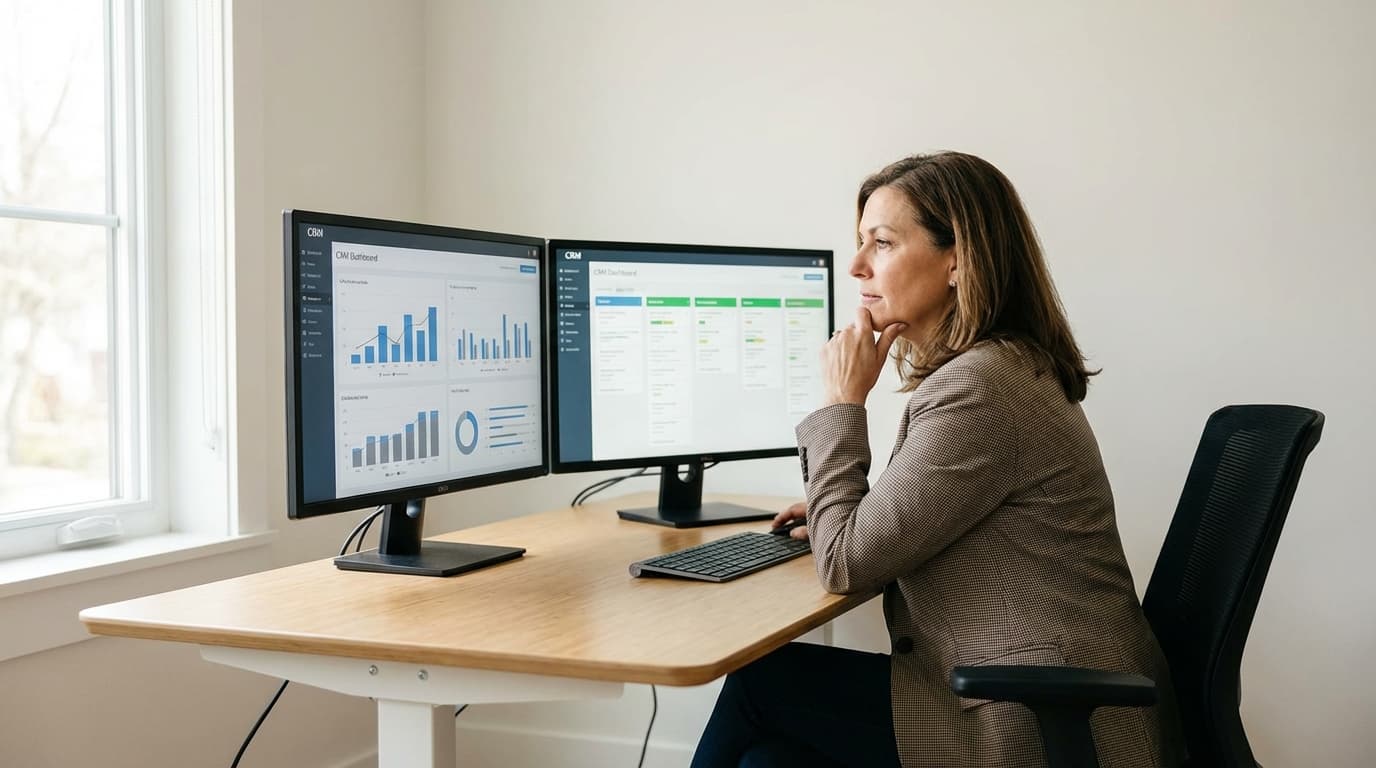
Home Service Sales Analytics: KPIs, Dashboards & Training That Drives Revenue
What gets measured gets improved. Here's exactly what to track, how to build dashboards, and how to train your team with data.
Most home service contractors run their sales operations on gut feel. They have a general sense of whether things are going well or poorly, but they can't point to specific numbers that prove it.
Meanwhile, top-performing contractors track everything. They know their average response time down to the minute, their conversion rate by lead source, and which reps are crushing it versus which need coaching. They use data to make decisions instead of guesses.
The difference isn't access to fancy analytics tools. It's knowing which metrics actually matter and building systems to track them consistently.
This guide shows you the exact analytics framework used by successful contractors across HVAC, plumbing, electrical, and other trades. You'll learn which KPIs to track, how to build dashboards that drive action, and how to use data to train and coach your team.
What you'll learn:
- The 7 essential sales KPIs every contractor must track
- How to build a sales dashboard that actually gets used
- Data-driven coaching techniques that improve performance
- Training programs that work for new and experienced reps
- 90-day implementation plan to build a data-driven culture
If you're tired of wondering why leads aren't converting or why some reps outperform others, this guide gives you the framework to find answers and take action.
The Essential Sales KPIs
Not all metrics matter equally. Focus on these seven KPIs that directly impact revenue.
Response Time Metrics
Fast response time is the highest-leverage metric in home services. Track these three response metrics:
Average Time to First Contact
What it measures: Minutes from lead creation to first phone call attempt.
Why it matters: Every minute of delay reduces conversion probability. Leads contacted within 1 minute convert 391% better than those contacted after 1 hour.
How to calculate:
Sum of (First call time - Lead created time) for all leads
÷ Total number of leads
= Average response time in minutes
Target benchmarks:
- Excellent: Under 5 minutes
- Good: 5-15 minutes
- Acceptable: 15-30 minutes
- Poor: 30+ minutes
Track by:
- Individual rep (who's fastest?)
- Lead source (which sources get priority?)
- Time of day (are after-hours leads delayed?)
- Day of week (weekends slower?)
Percentage of Leads Contacted Under 5 Minutes
What it measures: What percentage of your leads get the ideal fast response?
Why it matters: Average response time can hide problems. If 80% of leads get called in 2 minutes but 20% sit for 6 hours, your average might look okay while you're losing deals.
How to calculate:
Number of leads contacted in under 5 minutes
÷ Total leads
= Percentage with fast response
Target benchmarks:
- Excellent: 80%+ contacted under 5 minutes
- Good: 60-80%
- Acceptable: 40-60%
- Poor: Under 40%
Action triggers:
- If under 50%, you have a systematic problem (routing issues, notification failures, or team capacity problems)
- If fluctuating wildly, inconsistent processes (some reps fast, others slow)
Missed Lead Percentage
What it measures: Leads that never get contacted at all.
Why it matters: These are pure lost revenue. A missed lead is a customer you paid to acquire who went to a competitor by default.
How to calculate:
Number of leads with zero contact attempts
÷ Total leads
= Missed lead percentage
Target benchmark: Under 5% missed leads
Common reasons for missed leads:
- Lead routing failure (nobody assigned)
- Notification failure (rep didn't know about lead)
- Assumed someone else handled it
- Lead came in outside business hours with no after-hours coverage
- Lead fell through cracks during team transition
Track reason codes: When a lead is missed, document why so you can fix the systemic issue.
Conversion Metrics
Response time gets you the conversation. Conversion metrics tell you if you're closing deals.
Lead-to-Conversation Rate
What it measures: Percentage of leads that result in actual conversations (not just call attempts).
Why it matters: You can't sell to someone you never reach. Low contact rates mean lead quality issues or persistent calling problems.
How to calculate:
Number of leads that resulted in conversation
÷ Total leads generated
= Lead-to-conversation rate
Target benchmarks:
- Excellent: 70-80%
- Good: 60-70%
- Acceptable: 50-60%
- Poor: Under 50%
If rate is low, investigate:
- Wrong phone numbers (lead quality issue)
- Calling at wrong times (timing optimization needed)
- Customers not answering (multi-channel approach needed)
- Leads aren't actually interested (lead source quality problem)
Conversation-to-Estimate Rate
What it measures: Of the customers you speak with, how many want quotes?
Why it matters: This measures qualification effectiveness and initial interest building.
How to calculate:
Number of estimates provided
÷ Number of conversations
= Conversation-to-estimate rate
Target benchmarks:
- Excellent: 70%+ want estimates
- Good: 60-70%
- Acceptable: 50-60%
- Poor: Under 50%
If rate is low:
- Lead qualification is poor (talking to unqualified leads)
- Discovery phase needs improvement (not uncovering real need)
- Value proposition isn't compelling (customers aren't seeing benefit)
Estimate-to-Job Close Rate (THE Metric)
What it measures: Percentage of estimates that turn into signed contracts and scheduled work.
Why it matters: This is where revenue is won or lost. A customer who requested an estimate is interested. Your job is to close them.
How to calculate:
Number of estimates that became jobs
÷ Total estimates provided
= Close rate
Target benchmarks by service type:
| Service Type | Target Close Rate |
|---|---|
| Emergency repair | 45-50% |
| Scheduled repair | 35-40% |
| Maintenance/tune-up | 30-35% |
| New installation | 20-30% |
| Overall average | 37% |
If rate is below target:
- Objection handling needs work (price concerns not addressed)
- Sales scripts need improvement (inconsistent messaging)
- Follow-up is weak (not persistent enough)
- Pricing is non-competitive (market research needed)
- Trust isn't established (social proof and reviews needed)
Track by:
- Individual rep (who closes best?)
- Lead source (which sources have highest intent?)
- Service type (emergency vs. scheduled vs. installation)
- Price range (small jobs vs. large investments)
Revenue Metrics
Conversion rates matter, but revenue is what pays the bills.
Average Job Value
What it measures: Average revenue per closed deal.
Why it matters: Two reps with the same close rate can drive different revenue if one sells larger jobs.
How to calculate:
Total revenue from closed jobs
÷ Number of closed jobs
= Average job value
Track by:
- Rep (who sells bigger jobs?)
- Service type (repairs vs. installations)
- Lead source (do certain sources generate bigger opportunities?)
- Season (does average ticket change by time of year?)
Improvement strategies:
- Upselling training (recommend additional services)
- Bundling services (package deals increase average ticket)
- Tiered options (good/better/best presentation)
- Maintenance plans (recurring revenue adds to job value)
Revenue Per Lead
What it measures: Ultimate efficiency metric that accounts for both conversion and deal size.
Why it matters: This is the number that determines marketing ROI and business growth.
How to calculate:
Total revenue from all leads
÷ Total number of leads
= Revenue per lead
Example:
- 100 leads generated
- 37 closed (37% close rate)
- $2,000 average job value
- $74,000 total revenue
- $740 revenue per lead
Use this to evaluate:
- Lead source ROI (is Facebook worth $50/lead if it generates $740 per lead?)
- Marketing channel effectiveness
- Seasonal performance
- Long-term trends
Customer Acquisition Cost (CAC)
What it measures: Total cost to acquire a new customer.
Why it matters: If it costs you $500 to acquire a customer who spends $400, you're losing money.
How to calculate:
Total marketing + sales costs
÷ Number of new customers acquired
= Customer Acquisition Cost
Target benchmark: CAC should be 1/3 or less of customer lifetime value
Example:
- $5,000/month marketing spend
- $3,000/month sales team costs (proportional)
- Total: $8,000/month
- 40 new customers acquired
- CAC = $200 per customer
If average customer lifetime value is $2,500 (initial job + future work + referrals), $200 CAC is excellent.
Team Performance Metrics
Individual accountability drives team success.
Conversion Rate by Rep
What it measures: Which reps close deals most effectively?
Why it matters: Identifies top performers to learn from and struggling reps who need coaching.
Track:
- Individual close rates
- Rank team members (leaderboard format)
- Improvement trends over time
- Correlation with other metrics (speed, call volume, etc.)
Use for:
- Recognition and rewards (celebrate top performers)
- Coaching priorities (focus on lowest performers)
- Best practice sharing (have top rep train others)
- Hiring decisions (what traits do top performers share?)
Calls Per Day
What it measures: Activity level and productivity.
Why it matters: Low call volume might indicate system issues, time wasters, or motivation problems.
Target benchmarks:
- Inside sales rep (phone-focused): 40-60 calls/day
- Field rep (also doing jobs): 10-20 calls/day
- Sales manager (also coaching): 20-30 calls/day
Low call volume causes:
- Too much time on non-sales activities
- Fear of rejection (needs coaching and confidence building)
- Inefficient workflows (manual data entry, poor systems)
- Lead volume too low (marketing problem)
Average Talk Time
What it measures: How long are conversations with prospects?
Why it matters: Too short means reps aren't building rapport. Too long means inefficiency or poor qualification.
Target benchmarks:
- Discovery calls: 5-8 minutes
- Estimate follow-up: 3-5 minutes
- Objection handling: 3-5 minutes
- Quick questions: 1-2 minutes
Coaching opportunities:
- Reps with very short calls might be rushing (hurting conversion)
- Reps with very long calls might be talking too much (inefficiency)
- Variance suggests inconsistent approach (training needed)
Building Your Sales Dashboard
A dashboard is only useful if it drives action. Here's how to build one that actually gets used.
What to Include
Real-time metrics (check daily):
Lead activity snapshot:
- New leads today (raw count)
- Leads awaiting response (real-time alert)
- Average response time today (trending up or down?)
- Conversion rate today (better or worse than average?)
Individual rep scoreboard:
- Leads assigned
- Leads contacted
- Conversations had
- Estimates given
- Jobs closed
Lead source performance:
- Leads by source today
- Conversion rate by source (week-to-date)
- Revenue by source (month-to-date)
Historical metrics (review weekly/monthly):
Trend analysis:
- Response time trend (7-day and 30-day average)
- Conversion rate trend (compare to previous period)
- Revenue trend (week-over-week, month-over-month)
Rep performance comparison:
- Conversion rate by rep (ranked)
- Response time by rep
- Average deal size by rep
- Revenue contribution by rep
Lead source ROI:
- Cost per lead by source
- Revenue per lead by source
- ROI by source (revenue ÷ cost)
- Trend over time (improving or declining?)
Tools for Building Dashboards
Option 1: Built-in software analytics
Most lead management platforms include dashboard features:
Pros:
- No extra setup needed
- Data updates automatically
- Pre-built reports for common metrics
Cons:
- Limited customization
- Can't combine data from multiple sources easily
- Locked into vendor's report formats
Best for: Small teams who want simple, automatic dashboards without custom needs.
Option 2: Google Sheets or Excel
Build custom dashboards with formulas and charts:
Pros:
- Full customization control
- Free (or cheap with Microsoft 365)
- Can combine data from multiple sources
- Easy to share with team
Cons:
- Manual data entry or export/import required
- No real-time updates
- Prone to formula errors if not careful
- Requires spreadsheet skills
Best for: Teams with moderate technical skills who need custom reporting and can handle periodic manual updates.
Option 3: Business Intelligence tools (Tableau, Power BI, Looker)
Professional-grade analytics platforms:
Pros:
- Extremely powerful and flexible
- Beautiful visualizations
- Real-time data connections
- Advanced analysis capabilities
Cons:
- Expensive ($50-500+/user/month)
- Steep learning curve
- Overkill for most small businesses
- Requires dedicated analyst or tech-savvy manager
Best for: Large operations ($5M+ revenue) with dedicated operations team and complex reporting needs.
Recommendation for most contractors: Start with built-in software analytics. If you outgrow them, move to Google Sheets for custom reports. Only consider BI tools if you have 20+ technicians and complex multi-location needs.
Visual Best Practices
Keep it simple:
- One metric per chart
- Clear labels (no jargon)
- Obvious at a glance (shouldn't require study)
Use color meaningfully:
- Green = good/on target
- Yellow = caution/slightly off target
- Red = problem/immediate attention needed
Highlight trends:
- Show current value AND trend arrow (up/down)
- Compare to previous period (is it improving?)
- Visualize progress toward goal
Make it actionable:
- Don't just show numbers, show what to do about them
- Include target benchmarks for context
- Link metrics to action items
Bad dashboard example: "Average response time: 18 minutes" (Okay, is that good or bad? What should I do?)
Good dashboard example: "Average response time: 18 minutes ↑ (up from 12 yesterday) Target: Under 5 minutes ACTION NEEDED: Check notification settings and rep availability"
Dashboard Cadence
Daily check (5 minutes):
- Any leads awaiting response? (immediate action)
- Response time today vs. target
- Conversion rate today vs. average
- Any reps struggling today?
Weekly review (30 minutes):
- Team meeting to review week's performance
- Celebrate wins (who crushed it this week?)
- Identify problems (what went wrong?)
- Set targets for next week
Monthly deep dive (1-2 hours):
- Full analysis of trends
- Rep performance reviews
- Lead source ROI analysis
- Strategy adjustments for next month
Using Data for Coaching
Data without action is just numbers. Here's how to turn analytics into better performance.
Individual Rep Reviews
Data-driven 1:1 coaching session structure:
1. Start with wins (3 minutes): Review positive data first:
- "Your response time is down to 8 minutes from 15. That's awesome improvement."
- "You closed 45% of estimates this week. That's above team average."
- "I listened to your call with Mrs. Johnson. Your objection handling was perfect."
2. Review key metrics (5 minutes): Share their personal dashboard:
- Response time
- Conversion rates (lead→conversation→estimate→job)
- Revenue generated
- Comparison to team average and personal best
3. Identify one specific improvement area (5 minutes): Don't overwhelm with 10 things to fix. Pick one:
- "Your close rate on plumbing leads is 25% vs. 40% on HVAC. Let's figure out why."
- "You're great on emergency calls but struggle with scheduled estimates. What's different?"
- "Your response time on weekday leads is excellent, but weekend leads take 2+ hours. What's happening?"
4. Role-play and practice (10 minutes): Work on the specific skill:
- Listen to a call recording together
- Role-play the scenario with better technique
- Provide specific language and scripts
- Practice until rep is comfortable
5. Set specific goal (2 minutes): Clear, measurable target for next week:
- "This week, goal is to get plumbing close rate to 35%."
- "Let's get weekend response time under 15 minutes."
- "Practice the objection response we talked about on 3 calls this week."
Why this works:
- Specific (not vague "be better")
- Data-driven (no guessing or feelings)
- Supportive (starts with wins)
- Actionable (clear next steps)
- Measurable (can track progress)
Team Performance Meetings
Weekly team review meeting structure (30 minutes):
1. Celebrate team wins (5 minutes):
- Top performer of the week (recognition)
- Biggest improvement (celebrate progress)
- Highest deal closed (big win recognition)
- Best customer review received
2. Review team metrics (5 minutes):
- Team response time (on target?)
- Team conversion rate (improving?)
- Revenue generated this week
- How we're tracking toward monthly goal
3. Share best practices (10 minutes): Have top performer share what's working:
- "Mike closed 60% of estimates this week. Mike, what's your secret?"
- "Sarah handled a tough price objection perfectly. Sarah, walk us through it."
- Listen to recording of great call together
- Extract lessons for whole team
4. Problem-solve challenges (8 minutes): Identify and address systemic issues:
- "Weekend leads are taking 2+ hours to respond. Ideas?"
- "Price objections are killing us on installation quotes. Let's workshop responses."
- "We're missing leads from Facebook. What's happening?"
Team collectively problem-solves. Best ideas often come from reps.
5. Set team target for next week (2 minutes): Specific, measurable, achievable goal:
- "This week, team goal is 75% of leads contacted under 5 minutes."
- "Let's hit 40% conversion rate on estimates."
- "Goal is $75,000 revenue from leads this week."
Why this works:
- Builds team culture (we're in this together)
- Peer learning (learn from each other)
- Accountability without blame (data is neutral)
- Continuous improvement mindset
Call Recording Analysis
What to listen for in recorded calls:
Opening assessment:
- Did they build rapport quickly?
- Did they set an agenda?
- Was tone warm and professional?
Discovery phase:
- Did they ask enough questions?
- Did they listen actively (verbal cues)?
- Did they uncover the real problem?
- Did they qualify budget indirectly?
Solution presentation:
- Did they connect service to customer's specific problem?
- Did they focus on benefits, not features?
- Did they create appropriate urgency?
- Did they present options (not just one price)?
Objection handling:
- Did they acknowledge concern without being defensive?
- Did they reframe to value?
- Did they provide specific response?
- Did they ask for sale after addressing objection?
Close:
- Did they use assumptive language?
- Did they ask for the appointment/sale?
- Did they confirm next steps clearly?
Coaching from call recordings:
Good approach:
"Let me play this section of the call. Listen to how the customer brings up price at the 3-minute mark. Now let's think about how we could have handled that differently. What would you say if you could do it again?"
Bad approach:
"This call was terrible. You completely blew the price objection. Why didn't you use the script we gave you?"
Key principle: Use recordings to teach, not shame. Focus on specific moments and specific language improvements.
Training Programs That Work
Onboarding New Reps
Week 1: Foundation
Day 1-2: Product knowledge (8 hours)
- Services offered
- Pricing structure
- Competitive advantages
- Common customer problems
- Technical basics (not expert, but informed)
Day 3-4: Sales process (8 hours)
- Sales call framework (opening, discovery, solution, close)
- Objection handling responses (price, timing, competition)
- CRM and lead management system training
- Call recording and data tracking
Day 5: Role-play (6 hours)
- Manager plays customer, rep practices calls
- Practice discovery questions
- Practice objection handling
- Practice closing
- Record role-plays for review
Week 2: Shadow and observe
Day 1-3: Listen to recorded calls (6 hours)
- 20+ calls from top performers
- Identify patterns in what works
- Note specific language that converts
- Questions and discussion
Day 4-5: Shadow live calls (6 hours)
- Listen to top rep on live calls
- Observe how they adapt script to situation
- See objection handling in action
- Ask questions between calls
Week 3: Supervised calls
Day 1-2: Reverse shadowing (6 hours)
- New rep takes calls with coach listening
- Low-stakes calls only (qualification calls, not high-value closes)
- Coach provides feedback immediately after each call
- Practice specific skills
Day 3-4: Graduated independence (8 hours)
- New rep takes full calls independently
- Coach reviews recordings daily
- Identify improvement areas
- Continue practice
Day 5: Week 3 assessment (2 hours)
- Review first week of metrics (response time, conversion rate)
- Listen to best and worst calls together
- Identify strengths and development areas
- Set goals for coming weeks
Week 4+: Full independence with coaching
- Rep takes all assigned leads
- Weekly 1:1 coaching sessions
- Monthly performance reviews
- Continuous skill development
Expected progression:
- Week 1: Learning (not taking real calls)
- Week 2: Observing (building confidence)
- Week 3: Doing with supervision (building competence)
- Week 4+: Independent with coaching (building mastery)
Time to productivity:
- With this structure: 3-4 weeks to handle calls independently
- Without structure: 8-12 weeks to become effective
Ongoing Skill Development
Even experienced reps need continuous training.
Weekly training sessions (30-60 minutes):
Format:
- Review one specific skill each week
- Use real call recordings as examples
- Practice the skill through role-play
- Set specific implementation goal for the week
Sample 12-week training curriculum:
- Opening and rapport building (first impressions matter)
- Discovery questions (uncover real needs)
- Active listening skills (hearing what customers actually say)
- Solution presentation (benefits, not features)
- Price objection handling (value reframe techniques)
- Timing objection handling ("I need to think about it")
- Competition objection handling ("I'm getting other quotes")
- Closing techniques (assumptive, alternative, urgency)
- Upselling and cross-selling (increasing average ticket)
- Follow-up persistence (multi-touch sequences)
- Handling difficult customers (staying professional under pressure)
- Time management and prioritization (handling high lead volume)
Repeat the 12-week cycle continuously. Each time through, skill deepens.
Role-playing best practices:
Effective role-play:
- Use real scenarios from recent calls
- Manager plays difficult customer (make it challenging)
- Record the role-play for review
- Provide specific feedback immediately after
- Repeat the scenario until rep handles it well
Ineffective role-play:
- Generic scenarios that don't reflect reality
- Manager goes easy (doesn't help)
- No recording or feedback
- One-and-done (no repeat practice)
Key principle: Deliberate practice with specific feedback drives improvement. Vague "practice more" doesn't work.
Manager/Owner as Coach
The best sales managers spend 50%+ of their time coaching, not doing.
Time investment required:
For a team of 5-10 reps:
- 1-2 hours/week per rep (1:1 coaching)
- 1 hour/week team training
- 2-3 hours/week listening to calls and preparing coaching
- Total: 10-15 hours/week minimum
"But I don't have time to coach!"
Reality check: Coaching is the highest-ROI activity you can do as a manager. If your team improves conversion rate by 5% through coaching, that's likely $50,000-100,000+ additional annual revenue.
Your choice:
- Spend 15 hours/week coaching and gain $75,000+ in revenue
- Spend 15 hours/week on low-value tasks and leave money on the table
Make time by:
- Delegating operational tasks (others can handle)
- Eliminating low-value meetings
- Batching coaching sessions (Tuesday/Thursday coaching days)
- Using templates and systems (reduce prep time)
Coaching is not optional for growth. It's the core function of sales leadership.
Creating a Data-Driven Culture
Analytics only work if your team embraces them.
Transparency Without Fear
Data should inform and improve, not punish.
Bad approach: "Your numbers suck. You're on thin ice." (Result: Rep hides problems, data becomes meaningless)
Good approach: "Your numbers show an opportunity. Let's figure out what's happening and get you back on track." (Result: Rep engages with data as coaching tool)
Key principles:
Data is neutral: Numbers aren't good or bad. They're information. Use them to diagnose and improve, not to judge and blame.
Focus on trends, not single days: One bad day doesn't mean anything. Consistent patterns over weeks indicate real issues.
Celebrate improvement, not just excellence: Rep who goes from 20% to 30% close rate (50% improvement) deserves recognition, even if they're not top performer yet.
Create psychological safety: Team members should feel comfortable asking for help when their numbers are off. If data only creates fear, people hide problems instead of solving them.
Recognition Systems
Top performer rewards:
Weekly recognition:
- Shout out in team meeting
- Highlight on team Slack/messaging
- Small bonus or gift card ($50-100)
Monthly recognition:
- Bigger bonus (percentage of revenue they generated)
- "Rep of the Month" parking spot or trophy
- Feature in company newsletter or social media
Quarterly recognition:
- Significant bonus (could be $500-2,000 depending on revenue)
- Extra PTO day
- Dinner for them and their family
- Public recognition (award ceremony)
Most improved recognition:
Don't just reward top performers. Celebrate progress.
Example: "Sarah improved her response time from 30 minutes to 8 minutes this month. That's 73% improvement. She's now responding faster than team average. Awesome work, Sarah!"
Progress recognition:
- Motivates people who aren't naturally top performers
- Shows that improvement is valued, not just natural talent
- Creates culture of growth mindset
Continuous Improvement Mindset
Always testing, always improving:
Monthly improvement initiative:
Pick one metric to improve each month:
- January focus: Response time (goal: under 5 minutes average)
- February focus: Close rate (goal: 40%+)
- March focus: Follow-up persistence (goal: 3+ touches per lead)
Test small changes:
- New objection handling script (A/B test against old version)
- Different call-back times (does morning vs. afternoon matter?)
- Priority scoring adjustments (do property value leads convert better?)
Measure impact: Did the change improve the metric? If yes, keep it. If no, try something else.
Never "done": There's always room to improve. When you hit your goal, set a new one:
- Response time under 5 minutes? Great. Now get 90% under 3 minutes.
- 40% close rate? Awesome. Now let's hit 45%.
Continuous improvement compounds: 5% improvement per quarter = 21% improvement per year. Small, consistent gains create massive results over time.
90-Day Analytics Implementation Plan
Month 1: Baseline
Week 1: Set up tracking
Day 1-2: Choose your analytics platform
- Use built-in software features (easiest)
- Or set up Google Sheets template
- Define fields to track
- Test data collection
Day 3-4: Configure data sources
- Connect lead sources
- Set up call recording
- Enable conversion tracking
- Test data flow
Day 5: Create initial dashboard
- Build simple dashboard with 7 essential KPIs
- Share with team
- Train team on how to read it
Week 2-4: Collect baseline data
- Don't change anything yet
- Just measure current performance
- Identify patterns and problems
- Build 4 weeks of trend data
Deliverable at end of Month 1:
- Complete dashboard tracking all 7 KPIs
- 4 weeks of baseline data
- Clear understanding of current performance
- List of improvement opportunities
Month 2: Action
Week 5: Identify biggest gap
Review your data and answer:
- What's our weakest metric? (biggest opportunity)
- What's causing the problem? (root cause analysis)
- What's one change that could improve it? (targeted intervention)
Example findings:
- "Average response time is 42 minutes. Problem: no real-time notifications. Solution: enable mobile push alerts."
- "Close rate is 22%. Problem: reps don't have objection responses. Solution: script training this month."
Week 6-7: Implement targeted training
Focus all coaching on the identified gap:
- Weekly training sessions on the skill
- Daily role-play practice
- 1:1 coaching for struggling reps
- New scripts or tools if needed
Week 8: Measure improvement
- Has the metric improved?
- By how much?
- Which reps showed most improvement?
- What worked best?
Deliverable at end of Month 2:
- Targeted improvement in weakest metric
- Team trained on specific skill
- Evidence of what works and what doesn't
Month 3: Optimize
Week 9-10: Expand training
Address second-biggest gap:
- Apply lessons learned from Month 2
- Focus on next priority metric
- Continue reinforcing Month 2 improvements
Week 11: Refine processes
Based on data, optimize:
- Lead routing rules (are leads going to right people?)
- Priority scoring (are we calling high-value leads first?)
- Follow-up sequences (are we persistent enough?)
- Response time goals (can we go faster?)
Week 12: Review and plan
90-day review meeting:
- Where were we at Day 1? (baseline)
- Where are we now? (progress)
- What improved most? (wins to celebrate)
- What still needs work? (next 90 days)
Set targets for next 90 days:
- Specific goals for each KPI
- Training plan for next quarter
- Process improvements to implement
Deliverable at end of Month 3:
- Measurable improvement across multiple metrics
- Data-driven culture established
- Clear roadmap for continued improvement
Expected results after 90 days:
- Response time reduced by 40-60%
- Conversion rate improved by 5-10%
- Team engaged with metrics and coaching
- Clear process for continuous improvement
Conclusion: Data Drives Revenue
The difference between top-performing contractors and struggling ones isn't talent. It's systems.
Top performers:
- Track 7 essential KPIs consistently
- Use dashboards to identify problems early
- Coach with data, not feelings
- Continuously test and improve
- Celebrate progress and wins
Struggling contractors:
- Operate on gut feel
- Don't measure performance
- React to problems after revenue is lost
- Don't invest in coaching and training
Key takeaways:
- Start with 7 essential KPIs: Response time, conversion rates, revenue metrics, team performance
- Build simple dashboards: Daily check (5 minutes), weekly review (30 minutes), monthly deep dive (1-2 hours)
- Coach with data: Use metrics to identify specific improvement areas and track progress
- Train systematically: New rep onboarding (3-4 weeks), ongoing skill development (weekly training)
- Create data-driven culture: Transparency without fear, recognition for improvement, continuous optimization
Your Next Steps
This week:
- Choose your analytics platform (lead management software with built-in analytics or Google Sheets)
- Define which 7 KPIs you'll track
- Start collecting baseline data
- Share the dashboard with your team
This month:
- Build 4 weeks of baseline data
- Identify your biggest gap (weakest metric)
- Plan training to address it
- Schedule weekly team review meetings
This quarter:
- Implement 90-day analytics plan (baseline → action → optimize)
- Track improvement in key metrics
- Build data-driven culture with your team
- Celebrate wins and plan next quarter
Free resources:
- Sales dashboard template (Google Sheets)
- KPI tracking spreadsheet
- Rep coaching session template
- 90-day implementation checklist
- Training curriculum outline
Related guides:
- Lead Response Time - Improve your fastest-impact metric
- Sales Conversion Rate - Strategies to close more leads
- Sales Call Scripts - Give your team proven language
- Lead Management Software - Tools to track everything automatically
You can't improve what you don't measure. Start tracking these 7 KPIs today, and you'll have a clear roadmap to higher conversion rates and more revenue.
Ready to implement analytics and training that drives results? Sales Coach provides built-in analytics dashboards, call recording, and live coaching tools designed for home service contractors. Call 941-417-0202 or start your free 14-day trial.