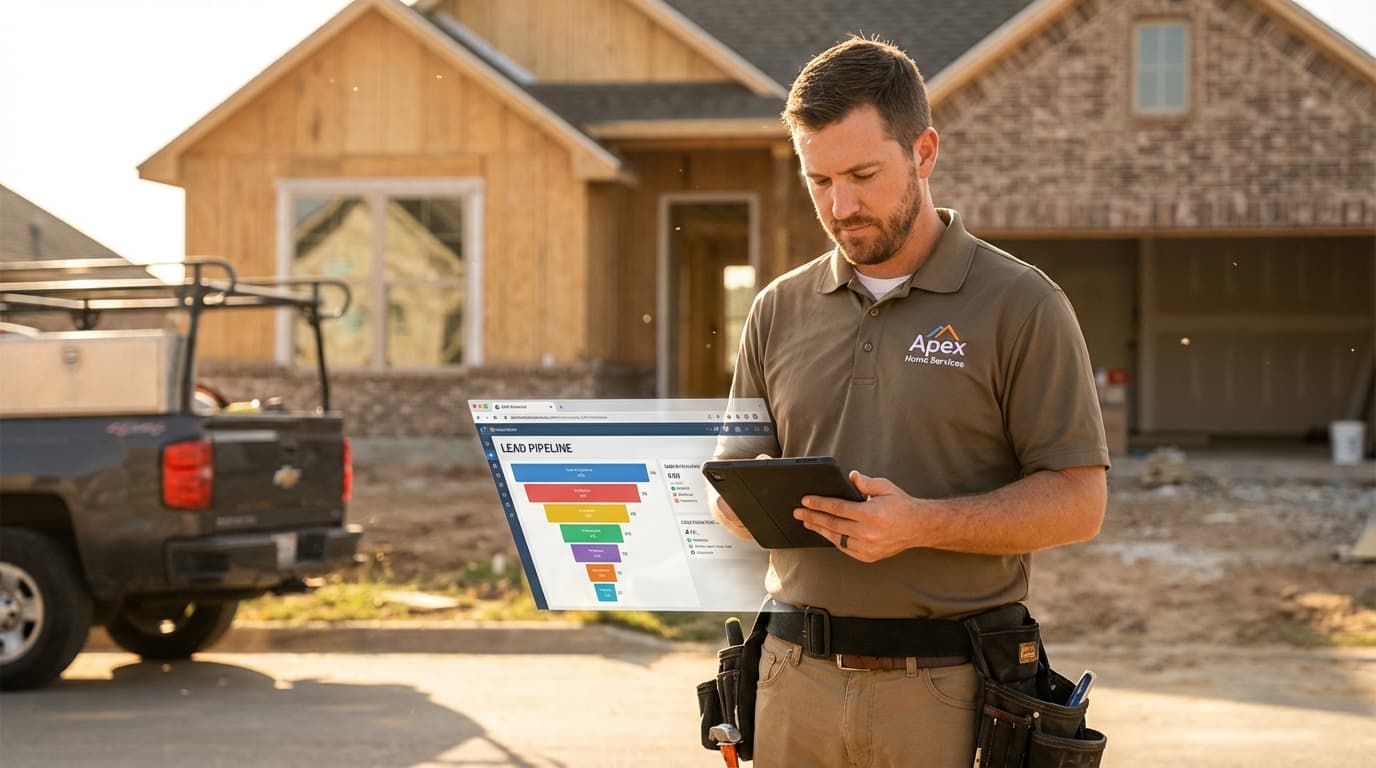
Last month, 47 people called your roofing company. You closed 8 jobs. What happened to the other 39?
If you're like most contractors, you don't know. Some probably got estimates and went with competitors. Some never got called back. Some are sitting in a notebook somewhere, forgotten. A few might still close if someone followed up—but no one knows who to call or when.
That's not a sales problem. It's a visibility problem. You can't improve what you can't measure, and you can't follow up on leads you've lost track of.
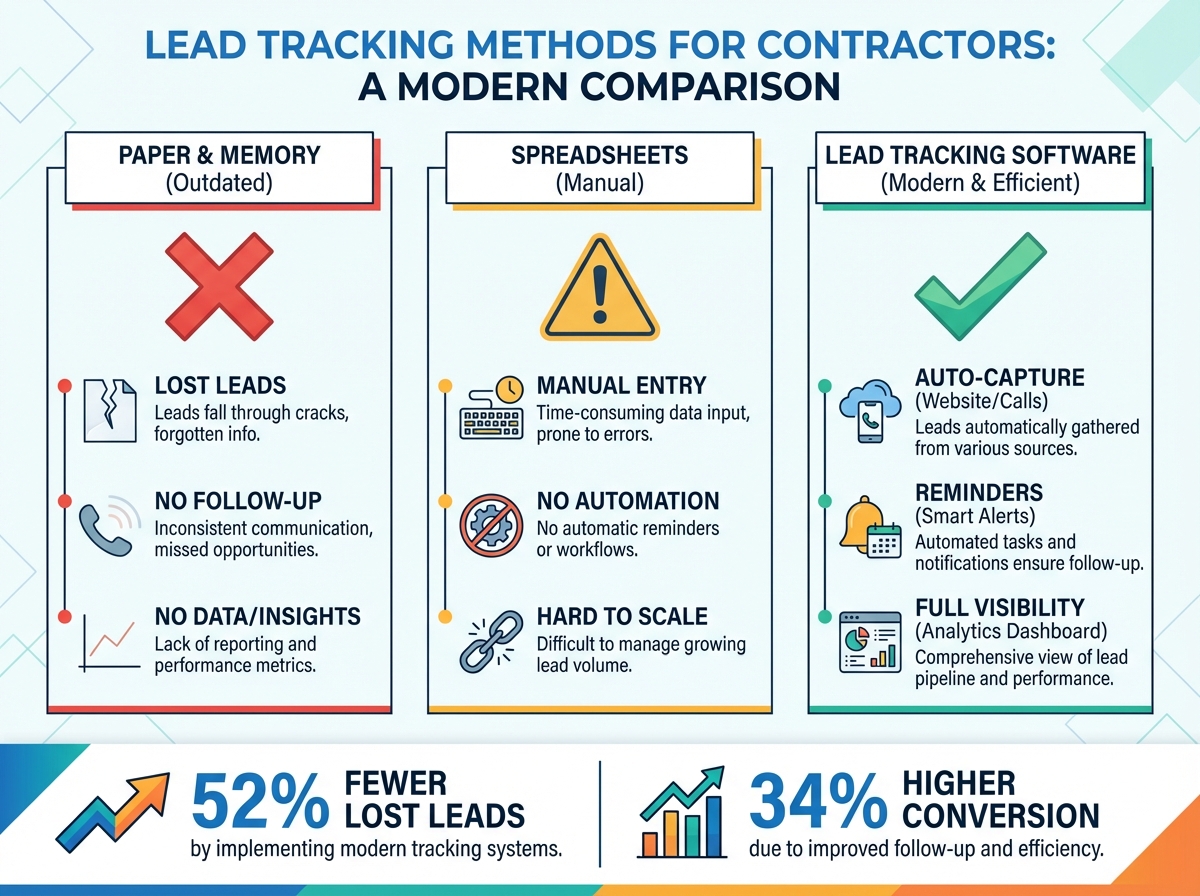
TL;DR: Contractor lead tracking software captures every inquiry, tracks its progress through your sales process, and ensures systematic follow-up. Companies using dedicated lead tracking report 52% fewer lost leads, 34% higher conversion rates, and complete visibility into why deals close or don't—enabling continuous improvement instead of hoping for the best.
The right software doesn't make you a better salesperson. It makes sure your existing sales skills get applied to every opportunity instead of just the ones you remember.
What Lead Tracking Software Actually Does
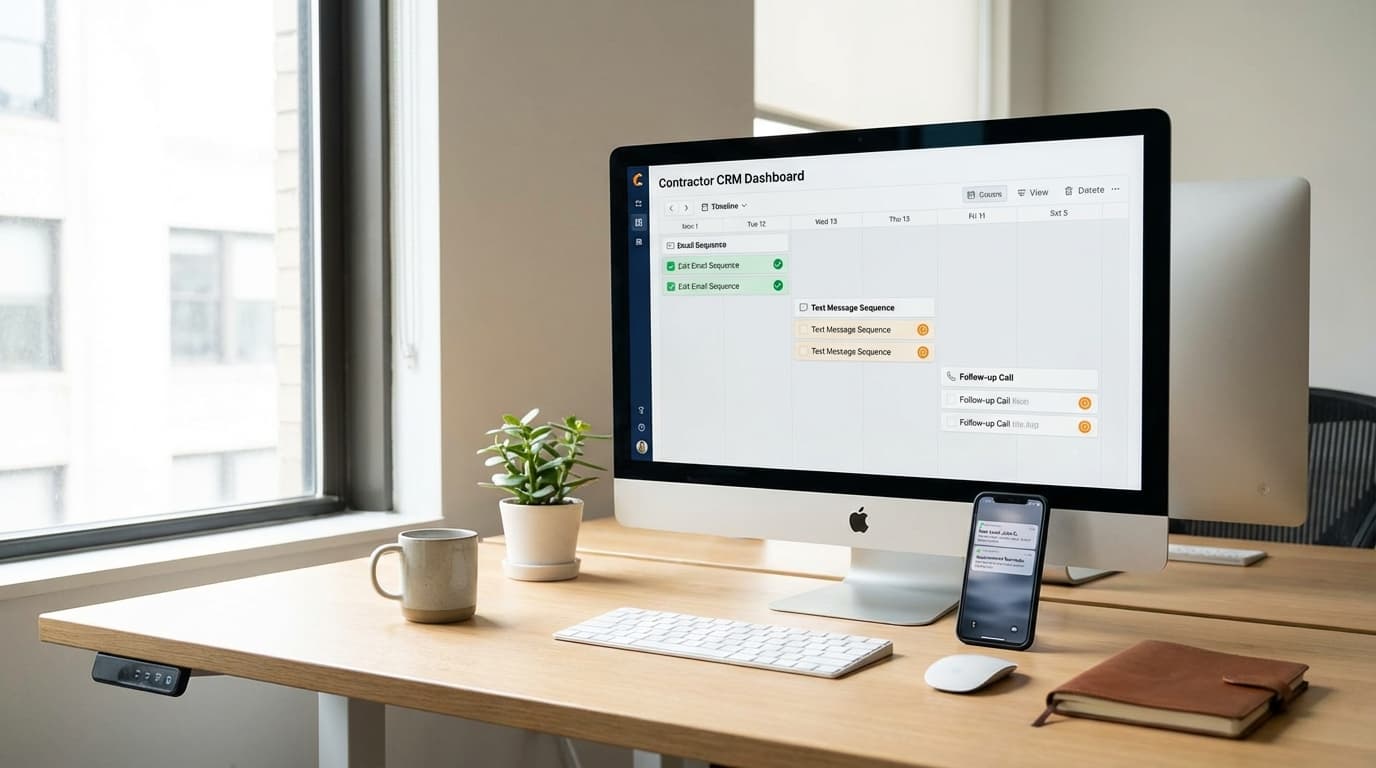
Lead tracking software is the central system where every opportunity lives from first contact to closed deal (or lost).
Core functions:
| Function | What It Does | Why It Matters |
|---|---|---|
| Capture | Records every lead from every channel | No more sticky notes or forgotten voicemails |
| Organize | Structures leads by status, type, priority | Find any lead instantly |
| Track | Records all interactions and updates | Know what's been said and done |
| Remind | Triggers follow-up tasks automatically | Nothing falls through cracks |
| Report | Shows conversion rates and patterns | Identify what's working and what isn't |
What it replaces:
- Sticky notes and memory
- Spreadsheets that get outdated
- Paper lead sheets in a folder
- "I'll remember to call them back"
- Guessing which marketing channels work
For contractors specifically, lead tracking software also handles the unique aspects of home service sales: job site addresses, service types, equipment details, estimate amounts, and the dispatch-to-invoice workflow.
Signs You Need Lead Tracking Software
Every contractor thinks they're tracking leads adequately—until they do the math.
Red flags indicating you need better tracking:
| Warning Sign | What's Happening |
|---|---|
| "I'll call them back" never happens | Leads lost to forgetting |
| You find old leads you don't remember | No capture system |
| Team gives different info about same lead | No single source of truth |
| No idea which marketing channels work | Can't track source to close |
| Busy seasons overwhelm your follow-up | Manual processes don't scale |
| Same customer calls repeatedly for updates | No status visibility |
The lost lead calculation:
Most contractors lose 20-40% of leads to poor tracking:
- 100 leads/month × 30% lost = 30 lost opportunities
- 30 lost × 25% would-have-closed = 7.5 lost jobs
- 7.5 lost jobs × $3,000 average = $22,500/month in lost revenue
Even modest improvements in lead tracking directly hit your bottom line.
Essential Features for Contractor Lead Tracking
Not all lead tracking software suits contractors. Look for these capabilities.
Lead Capture Integration
Every inquiry channel must feed into one system.
Required integrations:
- Phone call tracking with automatic lead creation
- Website form submissions
- Email parsing (forwarded inquiries create leads)
- Text/SMS capture
- Third-party lead sources (Angi, HomeAdvisor, etc.)
Why it matters: Manual entry creates gaps. Every channel that requires someone to type in lead information is a channel where leads get lost.
Custom Lead Stages
Your sales process needs reflected in the software.
Typical contractor lead stages:
| Stage | Definition |
|---|---|
| New | Just received, not yet contacted |
| Contacted | Spoke with customer, qualifying |
| Appointment Set | Estimate or service scheduled |
| Estimate Given | Proposal delivered, awaiting decision |
| Follow-up | Customer considering, needs nudge |
| Won | Converted to job |
| Lost | Did not convert, reason tracked |
Your stages might differ. Software should allow customization.
Service Type and Property Tracking
Home service leads need more than contact info.
Required fields:
- Service address (not just billing address)
- Service type needed
- Property details (age, size, equipment)
- Urgency level
- Equipment details (for HVAC, plumbing, etc.)
Activity Logging
Every interaction should be recorded automatically.
Track these activities:
- Phone calls (with duration and notes)
- Emails sent and received
- Text messages
- Appointments scheduled
- Estimates delivered
- Status changes
Manual logging is prone to skipping. Automated logging ensures completeness.
Follow-Up Automation
The system should remind (or complete) follow-up tasks.
Essential automation:
- Automatic task creation after status changes
- Reminder alerts for overdue follow-ups
- Email sequences for leads in specific stages
- Re-engagement campaigns for stale leads
Source Tracking and Attribution
Know which marketing channels produce results.
Track from first touch to close:
- Lead source (Google, Facebook, referral, etc.)
- Campaign or ad that generated the lead
- Keywords (for paid search)
- Conversion to appointment, estimate, job
- Revenue attributed to source
This data drives marketing investment decisions.
Mobile Access
Contractors work from trucks, not desks.
Mobile requirements:
- Full lead access from phone/tablet
- Create leads while in the field
- Update statuses during appointments
- Log notes via voice
- View customer history before arrival
If your team can't use it from a job site, they won't use it at all.
Reporting and Analytics
Visibility into what's working.
Essential reports:
- Leads by source and stage
- Conversion rates by stage, source, rep
- Response time metrics
- Follow-up compliance
- Revenue pipeline
- Lost lead analysis
Comparing Lead Tracking Options for Contractors
Options range from general CRM to contractor-specific software.
Option 1: General CRM (HubSpot, Salesforce, Zoho)
Best for: Contractors who want flexibility and don't need industry-specific features.
Pros:
- Robust customization
- Strong integrations
- Extensive feature sets
- Often free tiers available
Cons:
- Requires setup and customization
- No contractor-specific workflows
- Separate FSM system needed
- Learning curve can be steep
When to choose: You have technical resources to customize, or you're already invested in the ecosystem.
Option 2: Contractor-Specific CRM (ServiceTitan, Housecall Pro, Jobber)
Best for: Contractors who want all-in-one field service management with built-in lead tracking.
Pros:
- Built for home service workflows
- Integrated dispatch and invoicing
- Industry-specific features
- Faster time-to-value
Cons:
- Higher cost than general CRM
- Less customization flexibility
- May have features you don't need
- Switching costs are high
When to choose: You need the full FSM suite and want everything integrated.
Option 3: Lightweight Lead Trackers (Pipedrive, Copper, Close)
Best for: Smaller contractors focused purely on sales tracking.
Pros:
- Simple and fast to learn
- Lower cost
- Sales-focused features
- Good mobile apps
Cons:
- No dispatch/FSM integration
- Less contractor-specific
- May outgrow quickly
- Limited reporting
When to choose: You need basic lead tracking without full CRM complexity.
Option 4: Spreadsheets (Google Sheets, Excel)
Best for: Very small operations just starting to track leads systematically.
Pros:
- Free
- Familiar interface
- Fully customizable
- No learning curve
Cons:
- No automation
- No reminders or notifications
- Easy to forget to update
- Hard to scale past ~100 leads
- No integrations
When to choose: Temporary solution while evaluating real software, or extremely budget-constrained.
Feature Comparison Matrix
| Feature | General CRM | Contractor CRM | Lightweight | Spreadsheet |
|---|---|---|---|---|
| Lead capture automation | ✅ | ✅ | ✅ | ❌ |
| Custom stages | ✅ | ✅ | ✅ | ⚠️ Manual |
| Property tracking | ⚠️ Custom | ✅ | ⚠️ Custom | ⚠️ Manual |
| Follow-up automation | ✅ | ✅ | ✅ | ❌ |
| Source tracking | ✅ | ✅ | ✅ | ⚠️ Manual |
| Mobile app | ✅ | ✅ | ✅ | ⚠️ Limited |
| FSM integration | ⚠️ Separate | ✅ Built-in | ❌ | ❌ |
| Reporting | ✅ | ✅ | ✅ | ⚠️ Manual |
| Price range | $0-150/user | $50-300/user | $15-100/user | Free |
Implementing Lead Tracking Software
Getting value requires proper setup and adoption.
Pre-Implementation Planning
Before selecting software:
-
Document your current process
- How do leads come in?
- Who handles them?
- What stages do they go through?
- What's getting lost?
-
Define your requirements
- Must-have features
- Nice-to-have features
- Integration needs
- Budget constraints
-
Get team buy-in
- Who will use it daily?
- What will change for them?
- What's their resistance?
- How will you train them?
Setup and Configuration
During implementation:
-
Configure lead stages
- Map to your actual sales process
- Keep it simple (5-7 stages max)
- Define clear exit criteria for each
-
Set up integrations
- Call tracking
- Website forms
- Email forwarding
- Third-party sources
-
Import existing data
- Current leads and customers
- Clean data before import
- Map fields correctly
-
Create automation rules
- Auto-assign by lead type or source
- Follow-up task creation
- Notification triggers
Training and Adoption
After implementation:
-
Train everyone who touches leads
- How to create and update leads
- How to log activities
- How to use mobile app
- What's expected daily
-
Set clear expectations
- All leads entered same-day
- Status updated after every contact
- Notes required on every activity
- Follow-up tasks completed on time
-
Monitor and reinforce
- Check data quality daily at first
- Address skipped entries immediately
- Celebrate wins from proper tracking
- Make it part of performance reviews
Common Implementation Mistakes
| Mistake | Consequence | Prevention |
|---|---|---|
| Overcomplicating stages | Confusion, inconsistent use | Start simple, add complexity later |
| Skipping training | Low adoption | Invest in hands-on training |
| Not integrating channels | Leads still get lost | Automate all capture points |
| No accountability | Old habits persist | Daily review, clear expectations |
| Trying to perfect before launch | Never launches | Start using it, improve iteratively |
Measuring Lead Tracking ROI
Prove the investment is paying off.
Metrics to Track Pre- and Post-Implementation
| Metric | What to Measure | Expected Improvement |
|---|---|---|
| Lead capture rate | % of inquiries logged | Should approach 100% |
| Response time | Hours to first contact | 50%+ improvement |
| Follow-up completion | % of follow-ups done on time | 90%+ target |
| Conversion rate | % of leads becoming customers | 20-40% improvement |
| Lost lead visibility | % of lost leads with reason | Should approach 100% |
Calculating Actual ROI
Simple ROI formula:
- Leads per month: 100
- Old conversion rate: 15%
- New conversion rate: 22%
- Improvement: 7 additional conversions
- Average job value: $3,500
- Additional monthly revenue: $24,500
- Software cost: $300/month
- Monthly ROI: $24,200 / $300 = 80x
Even conservative improvements yield significant returns because each recovered lead has substantial value.
Lead Tracking Best Practices for Contractors
Maximize value with these habits.
Daily Practices
- Review new leads first thing
- Update all lead statuses before end of day
- Complete all scheduled follow-ups
- Log every customer interaction
- Check for overdue tasks
Weekly Practices
- Review lead aging report
- Check source attribution data
- Clean up dead or duplicate leads
- Review team follow-up compliance
- Identify bottlenecks in pipeline
Monthly Practices
- Analyze conversion rates by source
- Review lost lead reasons
- Evaluate marketing spend vs. lead quality
- Identify coaching opportunities
- Update automation rules as needed
Quarterly Practices
- Full pipeline cleanup
- Process efficiency review
- Feature utilization check
- Integration health verification
- ROI assessment
Frequently Asked Questions
How long does it take to see results from lead tracking software?
You'll see immediate visibility improvements—knowing where every lead stands. Conversion rate improvements typically show within 30-60 days as better follow-up habits form. Full ROI realization takes 90+ days as you optimize based on the data you're now collecting. The key is consistent use from day one.
What if my team resists using new software?
Resistance usually comes from: added work (make sure software saves time, not adds it), fear of monitoring (frame as help, not surveillance), or unclear benefit (show how it helps them close more). Start with champions, prove value with early wins, then expand. Make proper use part of compensation or reviews if needed.
Can I track leads from third-party services like Angi or HomeAdvisor?
Yes. Most lead tracking software can import from these sources via email forwarding, API integration, or manual entry. The key is ensuring every lead enters the system regardless of origin. Track these leads separately to measure ROI of purchased leads versus organic leads.
Start Tracking Every Lead
Lead tracking software transforms contractor sales from guessing to knowing. Every opportunity is captured, progressed, and followed up systematically.
Key takeaways for contractors:
- Lost leads cost thousands monthly—tracking stops the bleeding
- Every lead channel must feed into one system
- Follow-up automation prevents human forgetting
- Source tracking proves marketing ROI
- Adoption requires training and accountability
Start by auditing your current state: How many leads came in last month? How many can you account for? The gap between those numbers is your opportunity.
Every lead represents a customer who reached out to you—your job is to not let them slip away.
Ready to track every lead from call to close? Start your free trial with TruLine and see which opportunities you've been missing.